Guest books directly
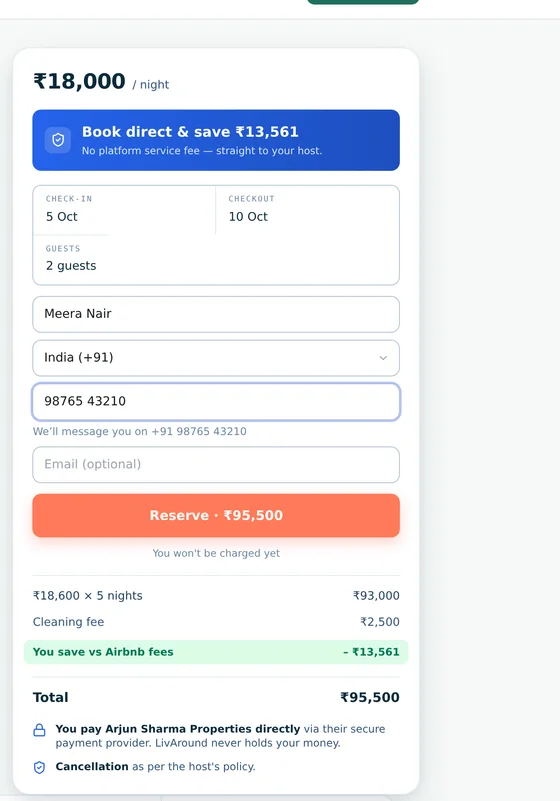
Guest enters their own number at checkout on booking.livaround.com. The invite goes out the moment payment confirms — before the host does anything.
Checkout · booking.livaround.com
Guest's WhatsApp
Your stay: 5 Oct 2026 – 10 Oct 2026.
Your host has set up a WhatsApp group for your stay — that's the best place to chat with them and their team. Join here: chat.whatsapp.com/K3f9Lm2pQr
This chat is your stay assistant: tap below to open your stay portal, or reply here to upload guest IDs, browse add-ons, or ask anything about your stay. We can't wait to host you! Open Stay Portal ↗ 11:42
booking_confirmed_with_group_invite
Guest clicks the universal stay link
An OTA guest with no number on file taps their link, types their own mobile number to unlock the stay portal at stay.livaround.com/s — and the invite appears right there, and on WhatsApp.
stay.livaround.com/s/…
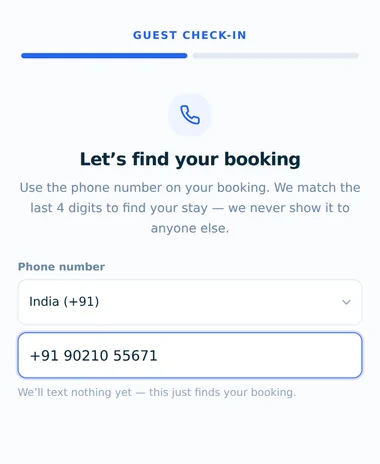
Portal · the invite card
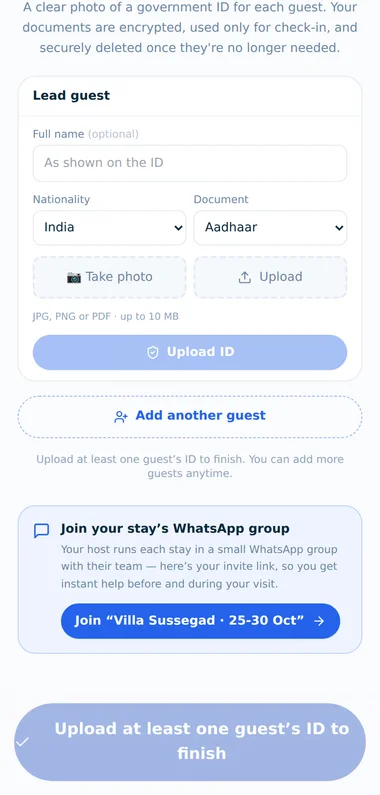
Same moment, on WhatsApp
Your host has set up a WhatsApp group for your stay — that's the best place to chat with them and their team. Join here: chat.whatsapp.com/K3f9Lm2pQr
This chat is your stay assistant: tap below to open your stay portal, or reply here to upload guest IDs, browse add-ons, or ask anything about your stay. Open Stay Portal ↗ 4:07 PM
welcome_with_group_invite
Host logs an offline booking
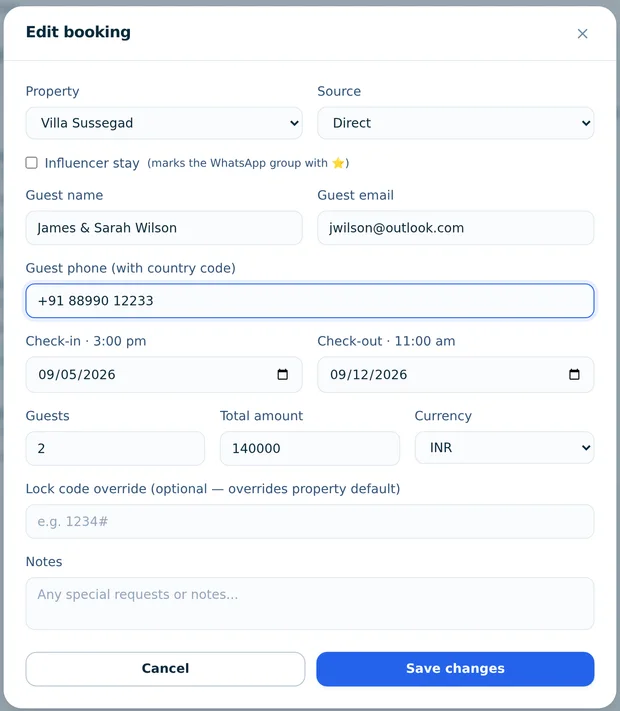
A phone booking or walk-in — the host types the guest's number into the dashboard. The invite is sent the instant it's saved.
Dashboard · edit booking
Bookings list · status at a glance
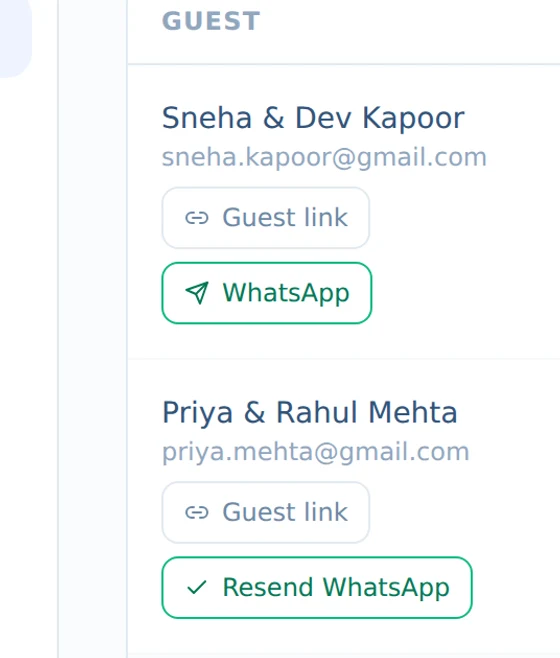
A different day's list, kept unedited to show what the pill looks like once sent (green "Resend WhatsApp") versus not yet sent (outlined "WhatsApp") — not James's own row from the step before.
Guest's WhatsApp
Your host has set up a WhatsApp group for your stay — that's the best place to chat with them and their team. Join here: chat.whatsapp.com/K3f9Lm2pQr
This chat is your stay assistant: tap below to open your stay portal, or reply here to upload guest IDs, browse add-ons, or ask anything about your stay. Open Stay Portal ↗ 9:15 AM
welcome_with_group_invite
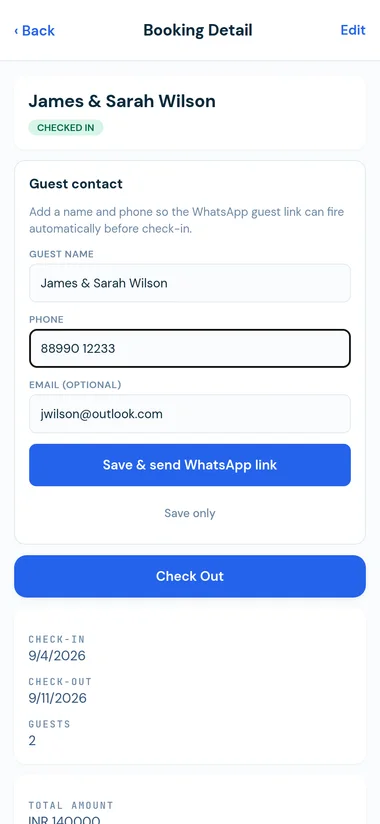
Host adds a number from the app
Save & send WhatsApp on the host app — one tap saves the number and fires the invite. Once the guest taps to join, the group's own welcome message greets them.
Host app · guest contact
What "sent" looks like
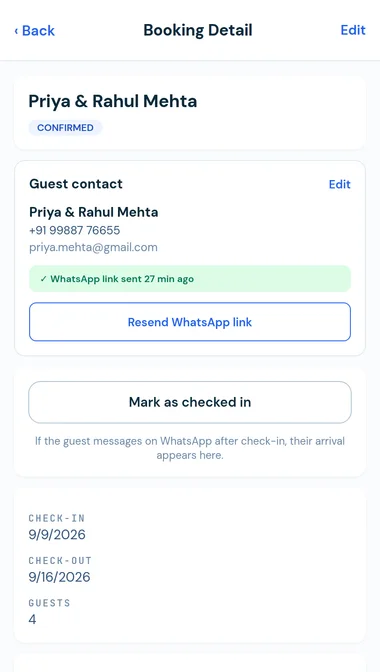
A different booking (Priya & Rahul), shown to illustrate the confirmed state James's screen settles into.
Guest's WhatsApp
Your host has set up a WhatsApp group for your stay — that's the best place to chat with them and their team. Join here: chat.whatsapp.com/K3f9Lm2pQr
This chat is your stay assistant: tap below to open your stay portal, or reply here to upload guest IDs, browse add-ons, or ask anything about your stay. Open Stay Portal ↗ 6:52 PM
welcome_with_group_invite
Inside the stay group
Host-authored, sent once the guest joins — the ON_GROUP_READY stay message, not a WABA template.